Every resource, live
Discovers what your cluster serves, CRDs included, and keeps every list current with watches. Columns like kubectl's, plus CPU and memory with metrics-server.
open source · windows · macos · linux
KubeKeel is a fast desktop cockpit for Kubernetes. It watches every resource live, puts what's broken up front, explains why, and shows you the exact command to fix it.
Free and MIT licensed. Uses your existing kubeconfig; nothing to install in the cluster.
# open Services in kubekeel-demo
$ kubectl get services -n kubekeel-demo
# svc/recommendations reaches no pods. KubeKeel says why:
✗ no pods have all its selector's labels
  closest: recommendations-75d6784c5-cdx96
  tier: the pod has "api", the Service wants "backend"
# its suggested fix, one click to copy
$ kubectl patch service/recommendations -n kubekeel-demo \
    --type merge -p \
    '{"spec":{"selector":{"app":"recommendations","tier":"api"}}}'
✓ service/recommendations patched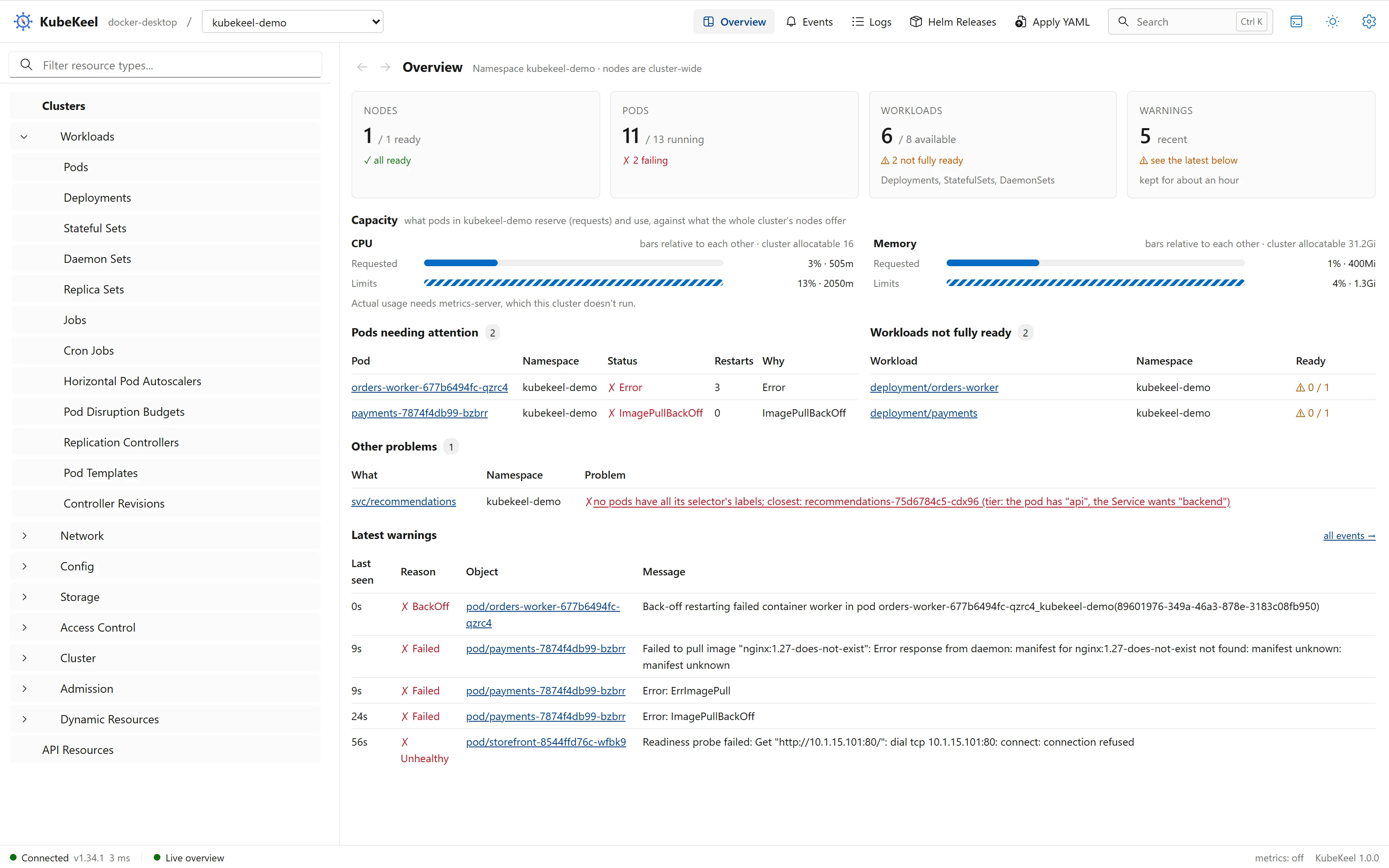
The Overview on a demo namespace: what's failing, why, and one click to the details.
// features
Discovers what your cluster serves, CRDs included, and keeps every list current with watches. Columns like kubectl's, plus CPU and memory with metrics-server.
Crash loops, unready workloads, Services that reach nothing, nodes under pressure, failed Helm releases. Each with why, and the fix.
Every list and action shows its equivalent command, one click to copy. Learn kubectl while you work, or paste it into a script.
Type part of a pod name and follow every matching pod, merged and colour-coded, live. New pods join in as they start.
A real terminal into any container, and port-forwards to pods, Services or Deployments that survive pod restarts.
Releases and their history, values and manifests, a diff between revisions, the objects each created and their health. Roll back or uninstall.
Find any object by name across every type. Add a kind to narrow it: deploy web, svc api.
Edit objects with a diff before you save, or paste manifests and apply them server-side, with a dry run first.
// tour
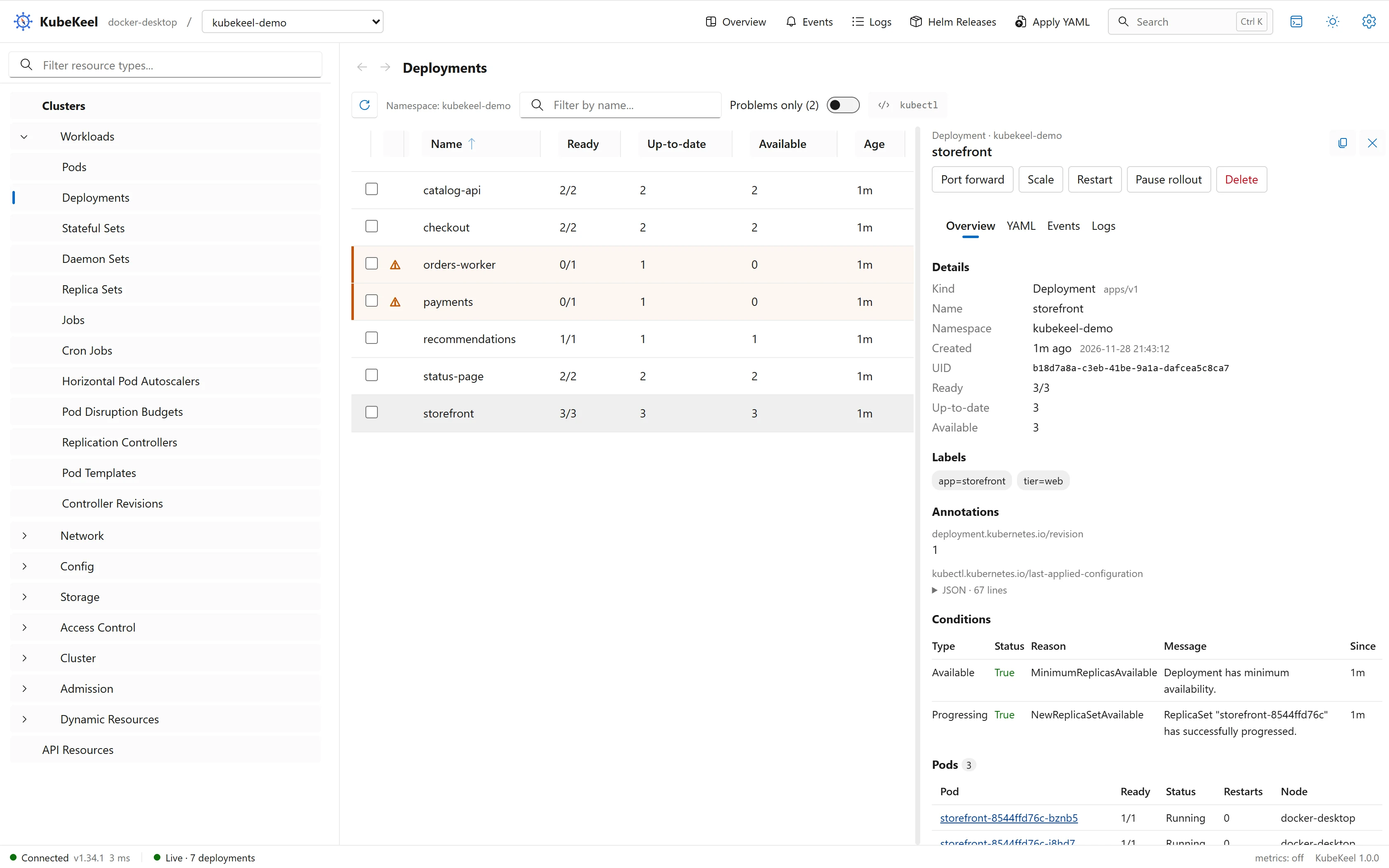
Screenshots of the app itself, on a demo namespace. Click one to see it full size.
// why KubeKeel
KubeKeel doesn't hide Kubernetes behind its own concepts. It shows you the real objects, the real state and the real commands, and helps you read them faster.
// install
Download the package for your system from the latest release. KubeKeel reads ~/.kube/config, so if kubectl works, it does too.
Unzip the win-x64.zip package and run the app. It uses WebView2, built into Windows 10 and 11.
Unzip the osx-arm64.zip package (osx-x64 for Intel) and move the app to Applications. It isn't notarized by Apple yet, so the first time: open it, then System Settings → Privacy & Security → Open Anyway.
Needs WebKitGTK; then extract the linux-x64.tar.gz package and run the app inside.
sudo apt install libwebkit2gtk-4.1-0Building from source? dotnet run --project src/KubeKeel.Desktop with the .NET 10 SDK.